5 guides in the Akko hub
Linear vs Tactile Switches: What the Force Curves Show
Linear switches move smoothly; tactile switches add a bump. That bump is the entire mechanical difference between linear vs tactile switches, and on Akko's published force charts it arrives in the first 0.5 mm of the press, well above the point where the key fires.
If you type more than you game, start with a light tactile. Linear took over new keyboards for reasons tied to gaming marketing and magnetic switches, and neither of those says much about how a switch feels under a typist's fingers.
Disclosure: links to akkogear.eu are affiliate links. If you buy through them, we earn a commission from Akko at no extra cost to you.
Where the Bump Lands in a Keypress
A tactile switch has a short rise in resistance near the top of the stroke that gives way under your finger. A linear switch has no such event: its resistance climbs steadily from rest to bottom-out. On Akko's current U1 switches, both types register at roughly 2 mm.
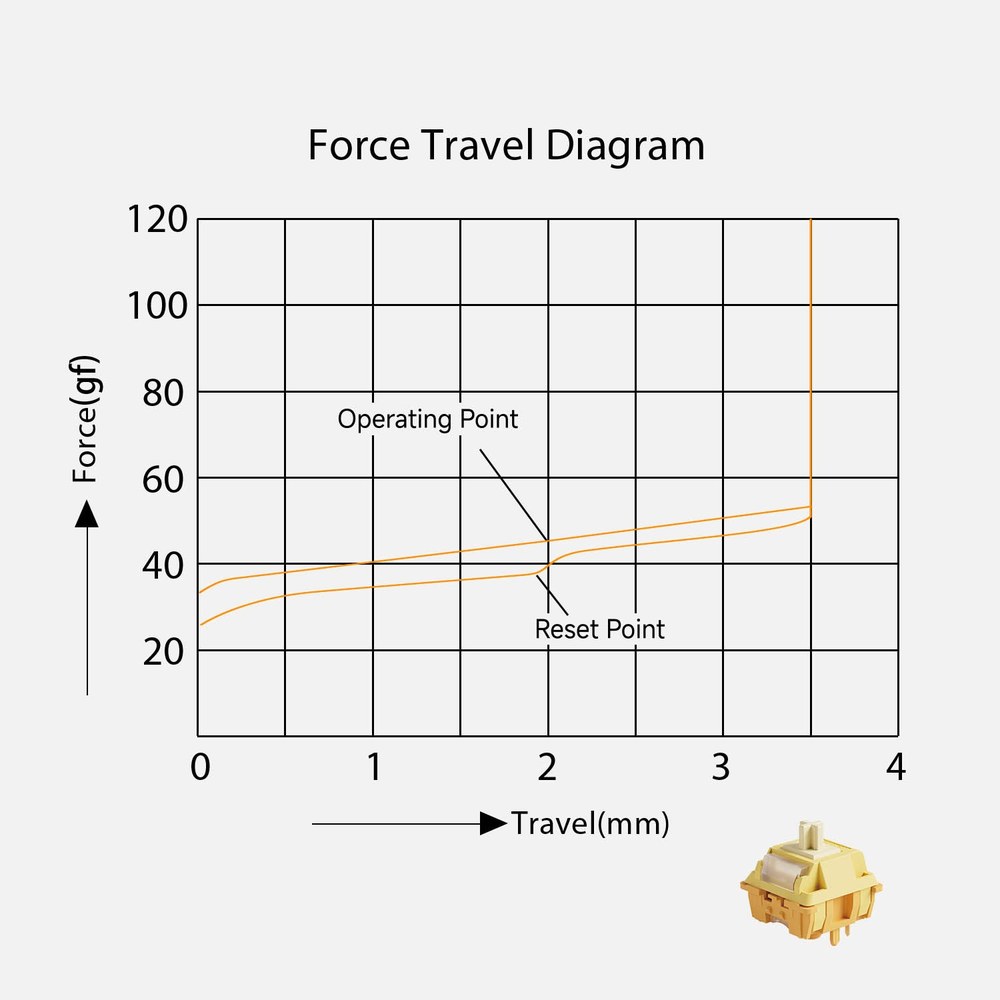
The Creamy Yellow U1 chart shows the linear side plainly. The press starts at about 33 gf, passes the operating point at 45 gf around 2 mm, and reaches roughly 53 gf just before the stem bottoms out at about 3.5 mm. The only change you feel on the way down is the spring getting slowly stiffer.
The Creamy Blue U1 chart looks nothing like it. Resistance shoots up to a peak of about 54 gf on the chart by roughly 0.4 mm (Akko's spec sheet lists the tactile force as 58 ± 5 gf), then falls away to around 40 gf by 1.8 mm. The operating point comes after that, at about 2 mm, once the bump is long gone. The Creamy Purple U1 chart peaks even sooner, near 0.2 mm and close to 60 gf.
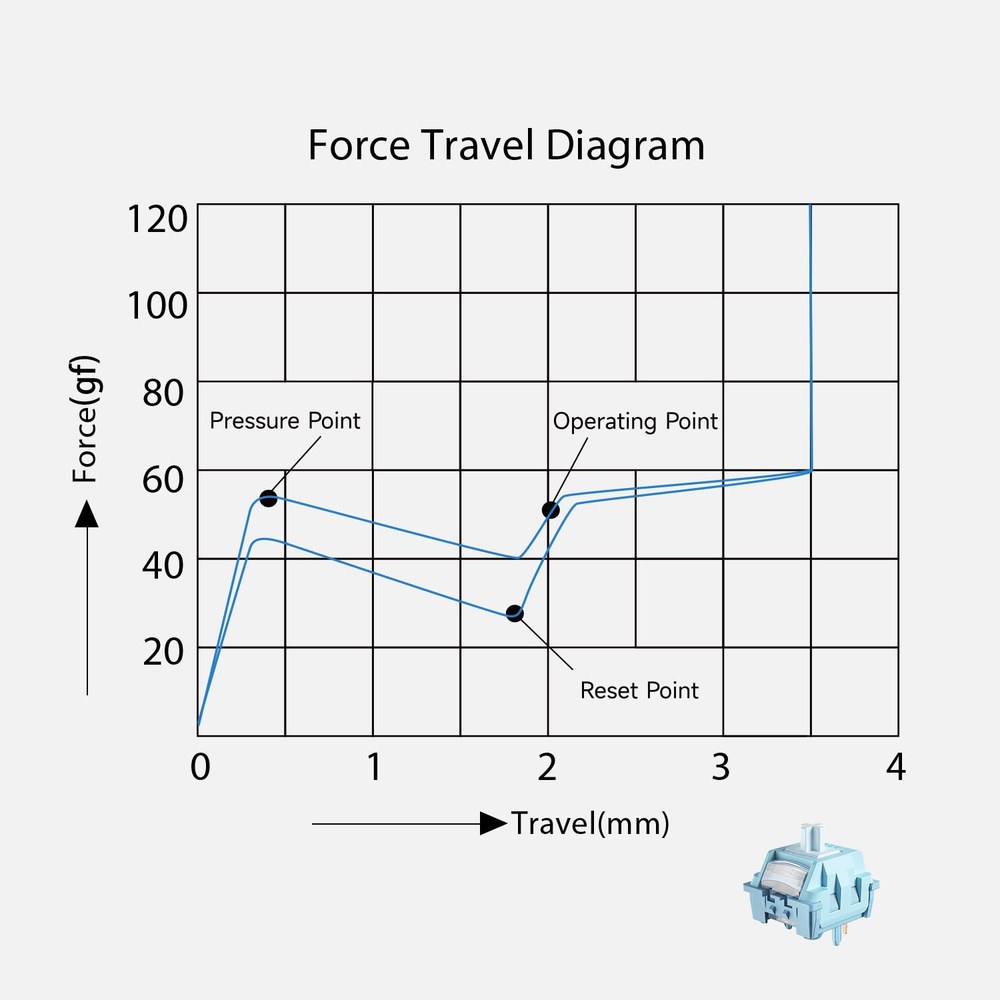
That gap changes what the bump is for. The usual description says the bump tells you the key has registered, but on these charts it tells you the key is about to register. Once your finger breaks through the peak, the resistance drops, momentum carries the stem roughly another 1.5 mm, and the switch fires on the way. For a touch typist that is useful: the bump works as a commitment point, so a tentative press either stops above it or goes all the way.
It also means the heaviest moment in a tactile press, before bottom-out, is the bump and not the actuation.
Why Linear Took Over New Keyboards
A July thread on r/keyboards, upvoted 44 times, asked why most keyboards over about $70, including ones not sold for gaming, now ship with linear switches. One reply, upvoted 26 times, blamed a "meme" that linears are better for gaming, which pushes brands to offer several near-identical linears and no tactile at all.
Magnetic switches are the second reason. A hall effect keyboard reads the position of a magnet in each stem, so you can set the depth where every key fires. A switch built that way is essentially linear in feel, because a bump stays at one fixed depth while the firing point moves wherever the software puts it. One reply in the same thread made the point directly:
"The idea that tactile was for typing and linear for gaming was just marketing to begin with, it really is just preference. Cherry sold linear switches on office keyboards specifically way before PC gaming became really a thing, for example. So people used linear switches for typing since the early 1990s. On HE/TMR keyboards the situation is slightly different, as the variable actuation point only really makes sense on linear switches, since you can't shift the tactile point in software."
- r/keyboards (20 upvotes)
So the default on the shelf reflects what sells to gamers and what magnetic sensing requires. Neither tells you which feel suits your typing.
Akko's U1 Linears and Tactiles on Paper
Akko's U1 range is a tidy test case, because the five switches share a 5-pin MX-style layout, factory lube, and the same generation of design. The figures below come from each switch's product page on akkogear.eu; a dash means the page does not list that spec.
| Spec | Creamy Yellow U1 | Piano U1 | Crystal Silver U1 | Creamy Blue U1 | Creamy Purple U1 |
|---|---|---|---|---|---|
| Type | Linear | Linear | Linear | Tactile | Tactile |
| Operating force | 45 ± 8 gf | 45 ± 5 gf | 35 ± 5 gf | 48 ± 5 gf | 45 ± 8 gf |
| Pre-travel | 2.0 ± 0.4 mm | 2.0 ± 0.3 mm | 1.0 mm | 1.9 ± 0.5 mm | 2.0 ± 0.4 mm |
| Total travel | 3.6 ± 0.4 mm | 3.5 ± 0.3 mm | 3.6 ± 0.2 mm | 3.5 ± 0.3 mm | 3.2 ± 0.3 mm |
| Tactile force | None | None | None | 58 ± 5 gf | 57 ± 8 gf |
| Tactile travel | None | None | None | 0.5 ± 0.1 mm | - |
| End force | - | 50 ± 5 gf max | 50 gf max | 58 ± 5 gf | 50 ± 8 gf |
| Top / stem / bottom | POM / POM / PA66 | PC / LY / PA66 | PC / PA12 / PC | PC / POM / PA66 | POM / POM / PA66 |
| Pins | 5 (clip to 3) | 5 (clip to 3) | 5 (clip to 3) | 5 (clip to 3) | 5 (clip to 3) |
| Pack and price | 100 for €19.99 | 45 for €16.65 | 45 for €16.65, out of stock | 100 for €19.99 | 45 for €11.89 |
| Per switch | €0.20 | €0.37 | €0.37 | €0.20 | €0.26 |
Read across the operating-force row and the category label tells you almost nothing about weight. Three of the in-stock switches fire at 45 gf and the fourth at 48 gf, well inside each other's tolerances. Cherry's own sheets show the same pattern from the other direction: the MX2A Red linear and the MX2A Brown tactile both list 2.0 mm pre-travel and 4.0 mm total travel, and differ in operating force, 45 cN against 55 cN.
The row that separates the two families is tactile force. Both Akko tactiles put their bump 9 to 12 gf above their operating force, which is the wall your finger pushes through on every press. If tactiles have ever felt tiring to you, that number is the likely reason, and a lighter-bump switch is the fix.
Travel differences belong to individual designs. The Crystal Silver's 1.0 mm pre-travel is a speed-linear trait, and the Creamy Purple's shorter 3.2 mm total travel is its own; neither follows from being linear or tactile.
The price row matters if you plan to try both: the Creamy Yellow and Creamy Blue come in the same 100-switch jar at the same €19.99, so a side-by-side test is an even comparison.
Linear vs Tactile Switches for Typing, Coding and Gaming
Pick tactile for touch typing and for learning to type, pick linear for gaming on a magnetic board, and treat everything in between as a matter of spring weight more than switch family.
Touch typing. The commitment point from the force curves is the reason tactile helps here. Your fingers get a signal on every key without having to hit the bottom, which matters most while accuracy is still forming. One r/keyboards user put it this way:
"I've always been linear, the deeper the better-but I've been learning to touch type this last few months and bought a new keyboard that came with Leobog ice soul tactile switches-and I'm won over. Not only are they satisfying, the bump makes touch typing so much easier. I've progressed more in this last week than I had in the previous two months"
- r/keyboards (10 upvotes)
Programming. Coding means long sessions, held modifiers, and bursts of shortcuts, so the weight of the bump matters more than whether there is one. A light tactile like the Creamy Blue at 48 gf suits a coder who hovers over the home row. A coder who already presses softly and rarely bottoms out loses little by going linear.
Gaming. On a regular mechanical board, linear is a comfortable default for repeated presses, though no switch family makes you faster by itself. On a magnetic board the choice is made for you: rapid trigger resets a key the moment it starts to rise, which only works on a switch with no fixed bump, so magnetic boards are linear.
Undecided. Try both on your own desk. That is easiest on a hot-swappable keyboard, where switches pull out with a tool and the next set presses in without soldering. Put tactiles on the home row and linears on the rest for a week, then swap whichever set you notice less. Akko's EU store also lists a switch tester bundled with an animal artisan keycap for €9.51, but the listing does not say which switches it holds, so it will not settle linear against tactile for these U1 models.
Is Linear Quieter Than Tactile?
Linear switches are not quieter than tactile switches by category. Neither type clicks, and most of the sound from both comes from the stem bottoming out plus the spring and housing plastics, so a well-tuned tactile can be quieter than a hollow-sounding linear.
Materials set the pitch. Akko describes the Creamy Yellow U1's cylindrical stem as narrowing the sound into a focused, low-pitched thock, and credits its modified POM top housing with cutting spring ping; the Creamy Purple U1 is described as crisp and snappy. Those are two voices from the same POM-top, PA66-bottom recipe, which is why sound samples of the exact switch beat any rule about the category.
The one habit difference: a tactile bump gives you a place to ease off before the bottom, and a linear gives you no such cue. For a shared office where noise is the main concern, look at silent switches, which add dampening at the top and bottom of the stroke in both linear and tactile versions. None of the five U1 switches on Akko's EU store is a silent model.
And Clicky Switches?
Clicky switches are tactile switches with a separate click mechanism that snaps audibly at the bump, the Cherry MX Blue being the long-running example. Akko's European store sells no clicky switch at present: its range is two linears, two tactiles, and the out-of-stock Crystal Silver. If you want the click, you will be buying from another maker.
Four Switches and a Magnetic Board to Start With
Prices below are akkogear.eu listings in euros on 11 September 2026 and change often. The four switches fit any MX-style hot-swap board; the magnetic board takes magnetic switches only.
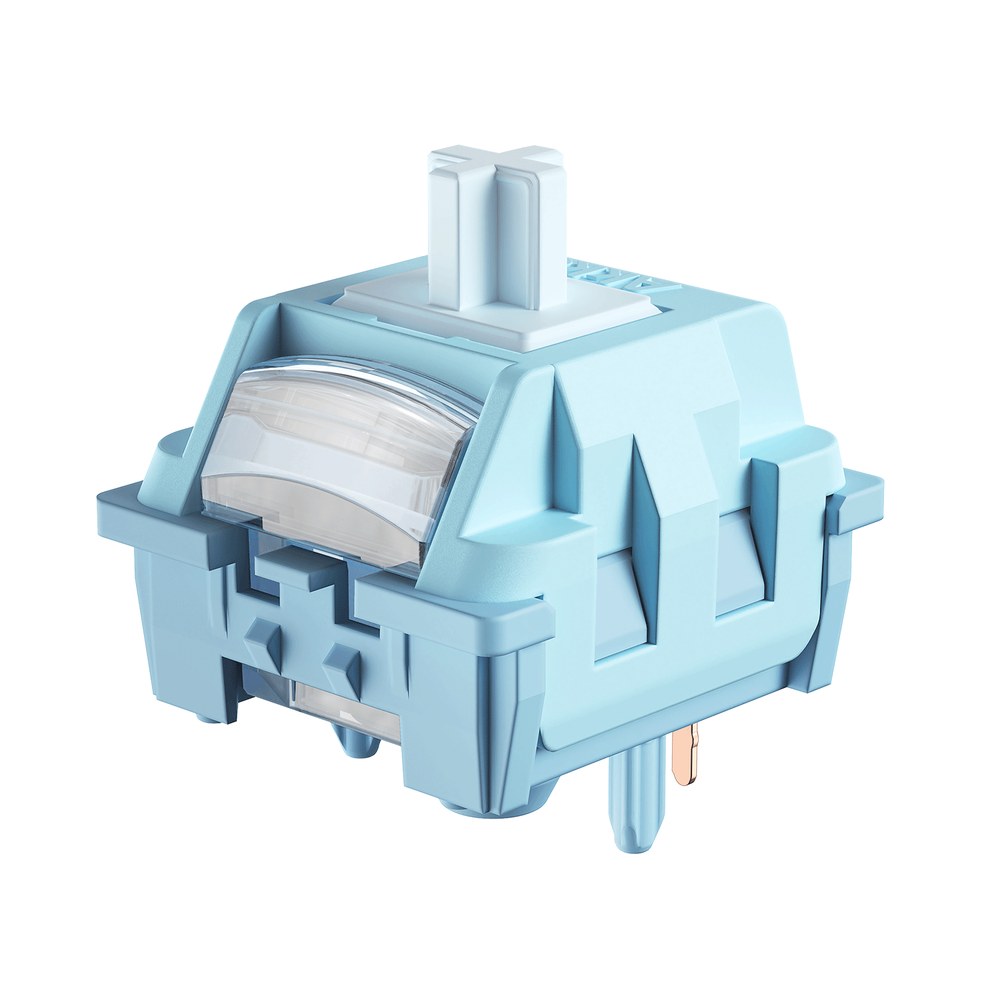
Creamy Blue U1 (tactile)
The first tactile to try if you type a lot: 48 gf operating force with a 58 gf bump inside the first 0.5 mm, POM stem, 5-pin. 100 switches for €19.99.
See the Creamy Blue U1 →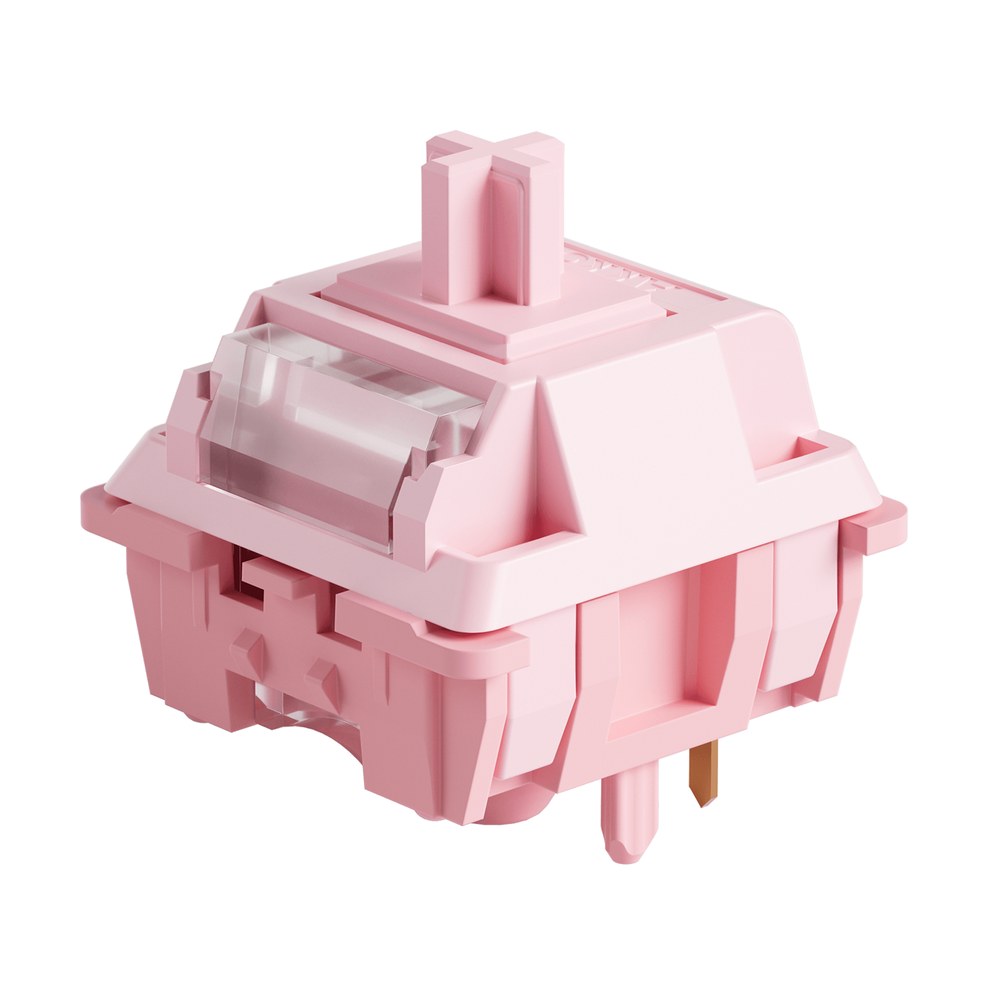
Creamy Purple U1 (tactile)
The cheapest way to test a tactile: 45 gf operating, 57 gf bump, a shorter 3.2 mm stroke, and a crisp sound by Akko's description. 45 switches for €11.89.
See the Creamy Purple U1 →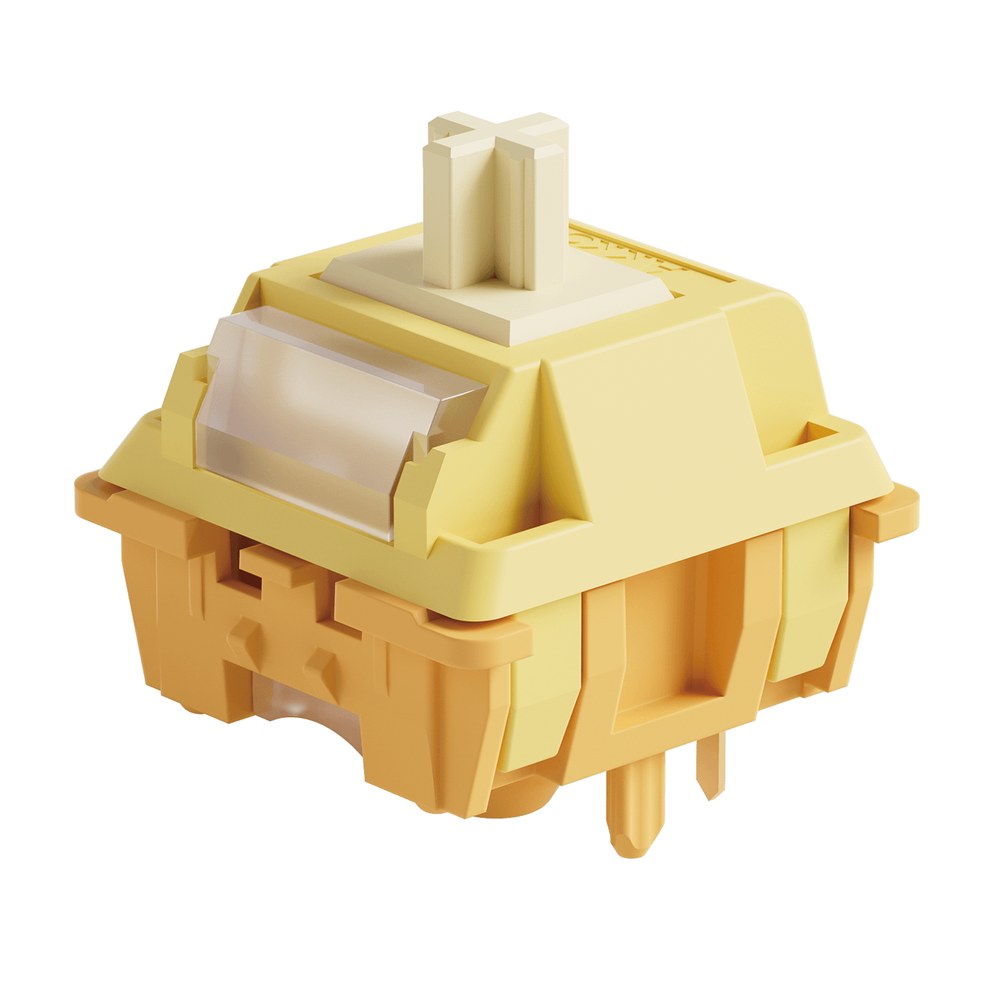
Creamy Yellow U1 (linear)
A light 45 gf linear with a POM top and stem, tuned for a deeper sound and less spring ping. The same jar size and price as the Creamy Blue: 100 for €19.99.
See the Creamy Yellow U1 →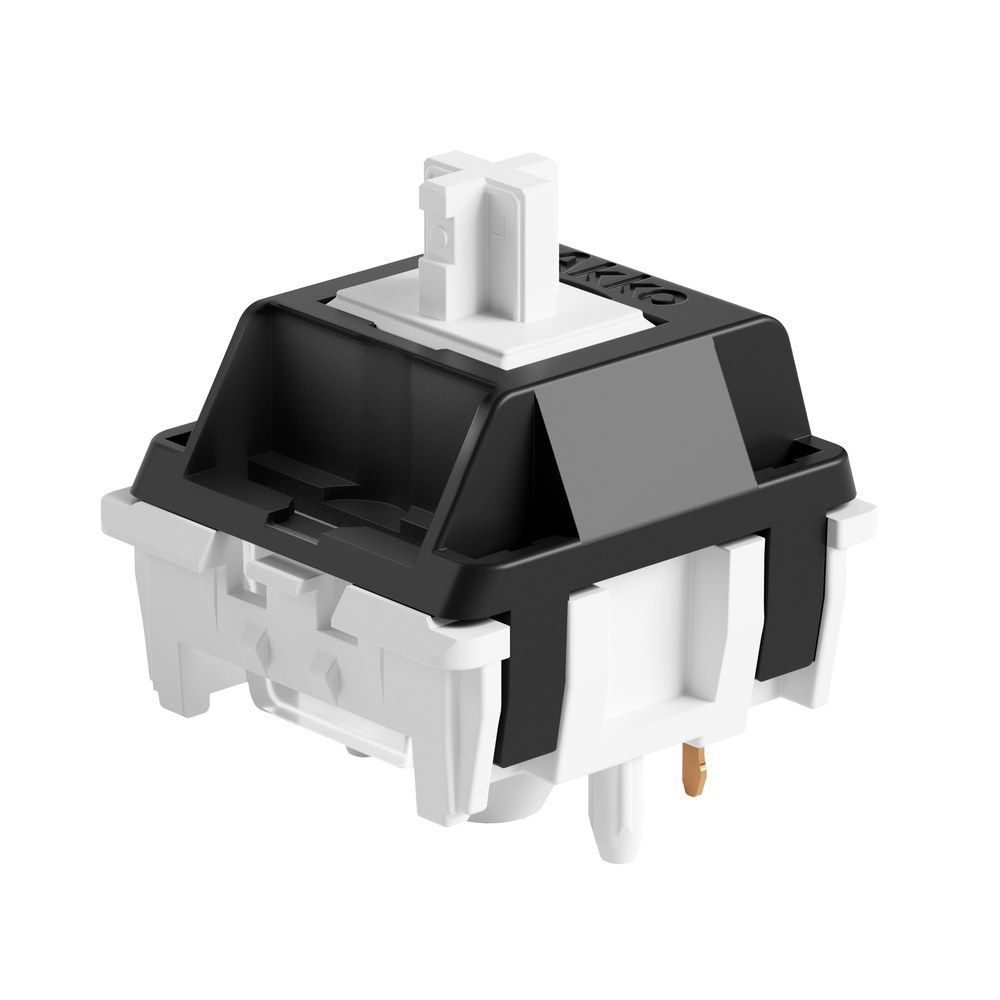
Piano U1 (linear)
A 45 gf linear with the tightest force tolerance of the set, ± 5 gf, a PC top and a 50 gf end force. Dearer per switch at about €0.37: 45 for €16.65.
See the Piano U1 →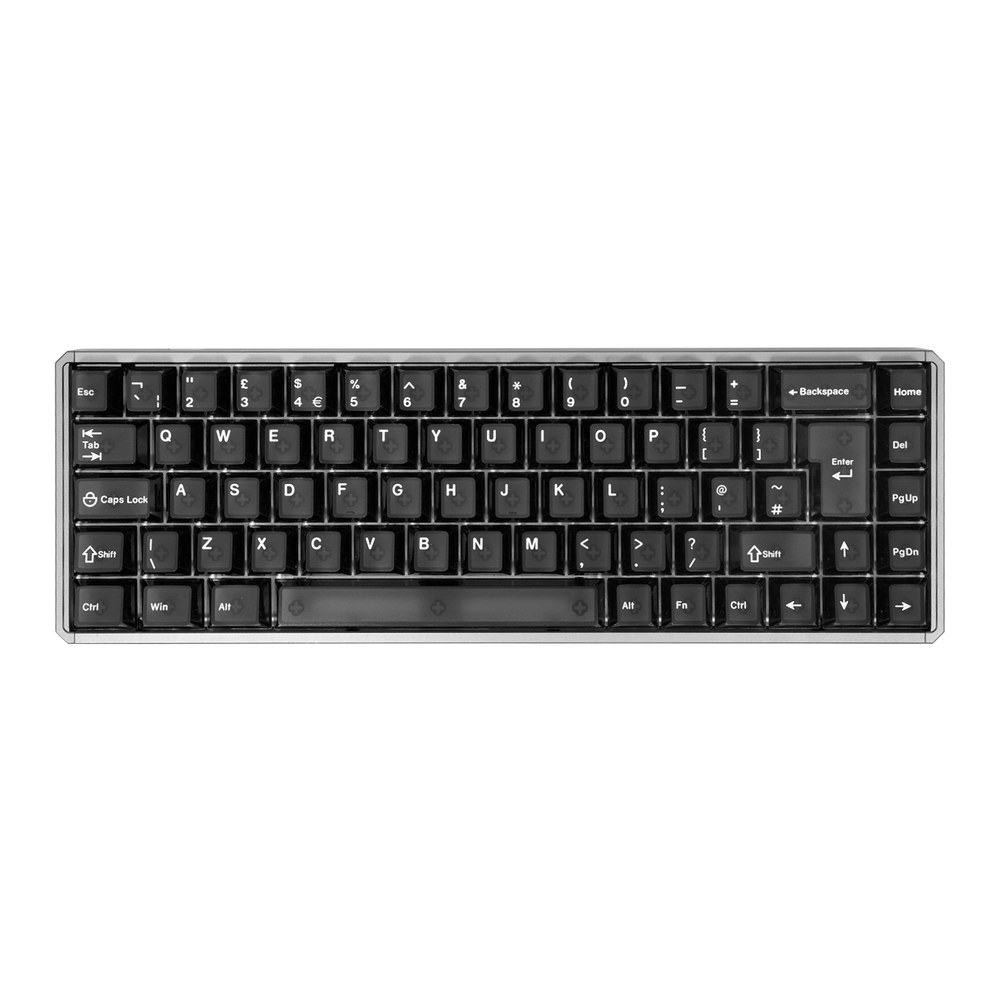
MOD68 HE ISO (magnetic)
For gamers who land on linear: 68 keys, 0.1 to 3.3 mm actuation, rapid trigger, 8K wired polling, CNC aluminium case. It does not accept the U1 switches above. From €107.09 wired.
See the MOD68 HE ISO →Pack size decides the real price of a set. A 68-key hot-swap board fills from one 100-switch jar of Creamy Blue or Creamy Yellow at €19.99 with 32 spares, or from two 45-packs: €23.78 for Creamy Purple, €33.30 for Piano. A full-size board with 104 to 108 keys needs a second jar or a third 45-pack.
FAQ
Why do some people dislike tactile switches?
Tactile switches put their heaviest point at the bump, before the key fires, and some typists find pushing through it tiring or distracting on fast repeated presses. On Akko's Creamy Blue U1 the bump is rated at 58 gf against a 48 gf operating force. A lighter-bump tactile often fixes the complaint.
Do pro gamers use linear or tactile switches?
Players on magnetic keyboards with rapid trigger use linear-feel switches by default, since adjustable actuation needs a switch without a fixed bump. On mechanical boards tactile players exist; the bump simply offers no speed advantage in games.
Can I put Akko U1 switches in a magnetic keyboard?
Akko U1 switches are mechanical, so they need a board with MX-style hot-swap sockets or a soldered PCB. Akko's MOD68 HE listing states the magnetic board does not support mechanical switches, so plan the switch and the board together.
How many switches do I need?
Count the keys on your board and add a few spares for bent pins. A 100-switch jar covers boards up to a tenkeyless 87 keys; Akko notes on the Creamy Blue page that 108-key full-size layouts may need additional switches.
These guides are written under a direct affiliate agreement with Akko. Links to akkogear.eu are affiliate links: if you buy through them, we earn a commission from Akko at no extra cost to you. Nothing in this hub is ranked by our shortlist formula, and prices are Akko's own listed euro prices on the date shown.