5 guides in the Akko hub
- Is a Hall Effect Keyboard Worth It?Main guide
- Linear vs Tactile Switches
- Hot-Swap Keyboards Explained
- ISO vs ANSI Keyboards
- PBT vs ABS Keycaps
Hot Swappable Keyboard: Sockets, Pins and What Can Go Wrong
A hot swappable keyboard takes new switches without solder. Each switch plugs into a small socket on the circuit board, so you lift it out with a wire puller and press a different one in, much like a plug going into a wall.
That makes hot-swap the one feature I would insist on in a mechanical board under €100, even if you never plan to change a switch. A dead key becomes a two-minute fix, and changing how a board feels comes down to a €19.99 pack of switches.
The trouble hides in the details product pages skip: pin counts, socket wear, and magnetic boards that are hot-swappable in a way that locks out every mechanical switch you own.
Disclosure: links to akkogear.eu are affiliate links. If you buy through them, we earn a commission from Akko at no extra cost to you.
The Socket Behind a Hot Swappable Keyboard
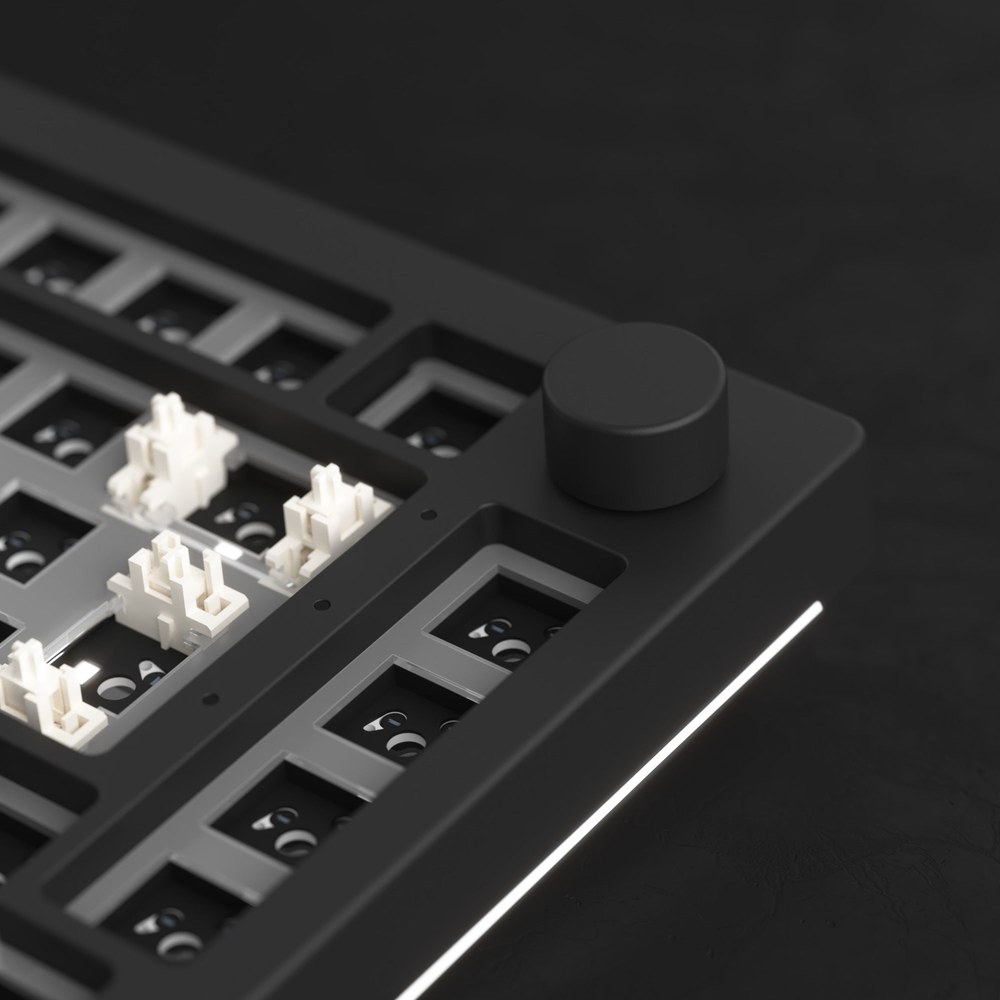
On an ordinary mechanical board, each switch's two metal pins pass through holes in the circuit board and are soldered in place. Getting one out means melting that solder pin by pin, and it is easy to damage the switch or the board along the way.
A hot-swap board keeps the same holes but adds a small spring-metal socket behind each one. The socket grips the pin and completes the circuit, so friction holds the switch down and a firm, straight pull releases it. Corsair's explainer names the trade-off: the extra part makes the circuit board more expensive to manufacture, which is why the cheapest keyboards still solder.
Magnetic Boards Swap Too, but Only Magnets
Hall effect boards are hot-swappable as well, and that trips up plenty of first-time buyers. Their switches pull out and push in the same way, yet the board reads a magnet through a sensor under each key, so a mechanical switch with metal contacts has nothing to talk to.
That is why the magnetic keyboards in Akko's range list hot-swap support and still reject your old switches. The spec table for the MOD68 HE ISO says "Hotswap: Support" and, a few lines down, "Mechanical Switches Supported: Not Supported". What it does take is other magnetic switches: Akko lists five third-party magnetic switches for it, chosen from a list in the Akko Driver and calibrated after the swap.
Check which kind of board you have before you buy switches.
3-Pin or 5-Pin: Which Switches Fit Your Board?
Most hot-swap boards accept both 3-pin and 5-pin MX-style switches, and a 3-pin switch fits every MX hot-swap socket. A 5-pin switch needs two extra holes in the circuit board; on a board without them, its two plastic legs have to be clipped off before it will seat.
Every MX-style switch has the same two metal contact pins plus a thick plastic post in the centre. A 5-pin switch adds two thin plastic legs, one on each side, and they carry no signal. Their job is to stop the switch twisting, which matters most on boards where the circuit board alone holds the switches.
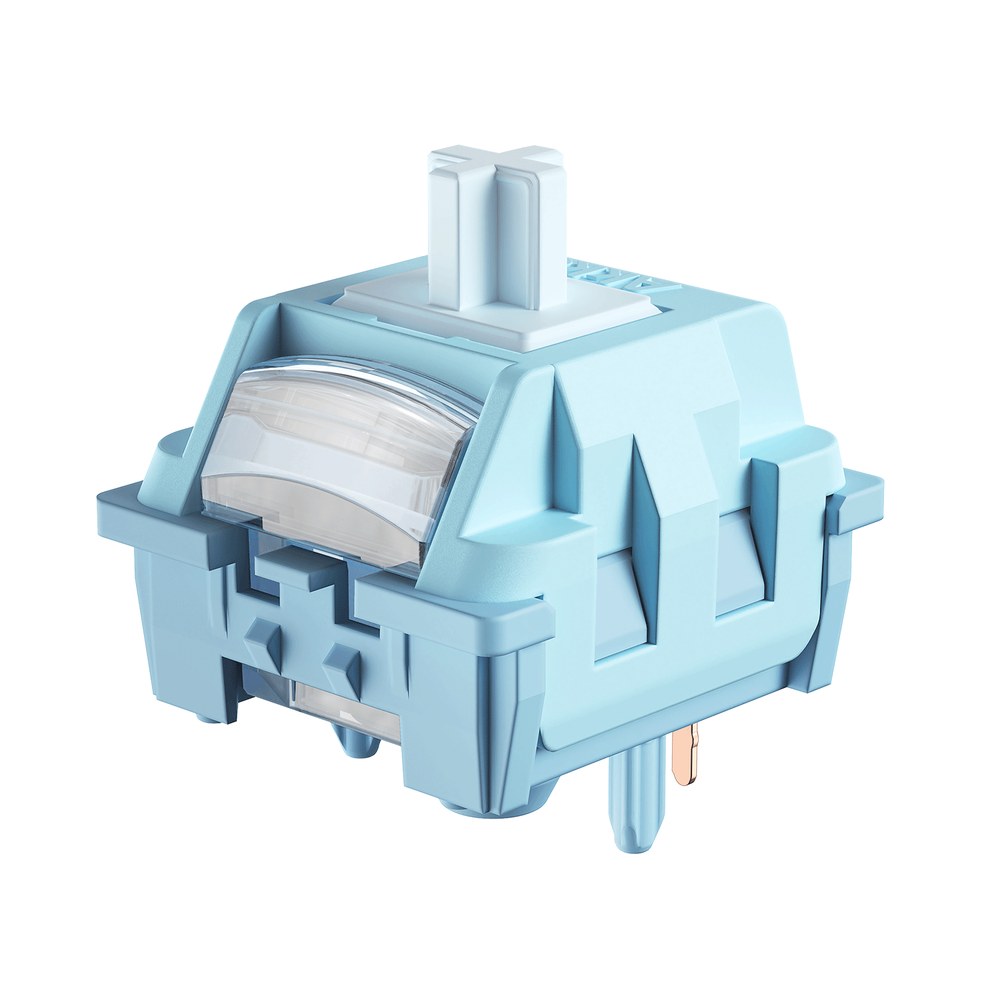
Akko's own switch pages spell out the fix. The U1 switches are listed as "5-Pin switch (can be modified to 3-Pin)", with a note that the two extra pins can be clipped off if a board needs it. Flush cutters make a clean job of it, and once clipped, the legs do not go back on.
So start from the board. Akko's 5075 V5, 5087 V3 and 5075 VIA kit all list "3-Pin / 5-Pin" in their spec tables, which means any MX-style switch goes straight in. Low-profile switches are a separate family: Kailh sells MX and Choc hot-swap sockets as different parts, and a Choc switch will not fit an MX board.
How Do You Know If a Keyboard Is Hot-Swappable?
A keyboard is hot-swappable when its spec table lists hot-swap support or a pin count such as "3-Pin / 5-Pin", and when a switch puller comes in the box. If a listing mentions neither, assume the switches are soldered until the maker says otherwise.
- Read the spec table, not the headline. Akko's 5087 V3 lists "Hot Swappable: 3-Pin / 5-Pin Support". The MOD68 HE lists "Hotswap: Support", and the next lines tell you it is magnetic only.
- Look at the box contents. Hot-swap boards ship with a wire switch puller next to the keycap puller. The 5087 V3, the 5075 V5 and the 5075 VIA kit all include one.
- Check the exact version. Some models come in soldered and hot-swap variants under nearly the same name, so match the full model number before you order switches.
- Test a board you already own. Pull the keycap from a key you rarely use, hook a switch puller into the notches on the switch, and pull gently and evenly. A hot-swap switch lifts out. A soldered one will not move at all, and forcing it can damage the board.
Swapping a Switch Without Bending a Pin
Once you have done a few, each switch takes a minute or two, and nearly every failure comes from the pins.
- Unplug the board, or switch a wireless one off. A switch that is only half seated can fire stray keypresses.
- Pull the keycap, then hook the switch puller's two prongs into the notches at the top and bottom of the switch housing. Squeeze and lift straight up. Rocking the switch side to side is how sockets get loosened.
- Before fitting the new switch, look at its two metal pins. They should be straight and parallel; a pin bent even slightly will fold flat under the switch and miss the socket.
- Line the pins up with the holes (the switch only fits one way round), rest the board on a flat surface, and press straight down until the housing clicks into the plate.
- Plug in and test the key in a text editor before the keycap goes back on.
If a new switch stays dead, pull it and look underneath. Usually one pin is folded against the housing. Tweezers will straighten it for another try, though a pin that has folded twice tends to snap, and at that point the switch belongs in the spares box.
Longer keys such as the spacebar, Enter and Shift use stabilizers. Their switches come out the same way, but lift those keycaps slowly so the stabilizer stems stay put.
Do Hot-Swap Sockets Wear Out?
Hot-swap sockets do wear out, slowly. The classic Kailh MX hot-swap socket is rated for an operating life of 100 cycles, according to the specification splitkb publishes for it, which means about 100 insertions per socket before grip starts to fade.
A hundred sounds small until you see what it applies to: one socket, one key position. Re-switching a whole board five times across its life uses five cycles on each socket. The sockets that wear out are the ones you treat as a test bench, pushing sample after sample into the same spot to compare feel.
Akko does not name the socket maker on these product pages, so read 100 as the reference figure for the common part, not a promise for any one keyboard. A tired socket shows up as a key that only registers when pressed hard, or one that types twice. Moving that switch to another position confirms the diagnosis, and replacing the socket means soldering, the job hot-swap exists to spare you.
If you like to compare switches, pick one position you never use for testing and accept that its socket is the one you are spending.
Barebones Kit or Prebuilt: What the Numbers Say
A barebones kit is a hot swappable keyboard with the sockets left empty: case, plate, circuit board and stabilizers, with switches and keycaps bought separately. Priced on akkogear.eu on 11 September 2026, the kit route saves less than it looks.
The 5075 VIA DIY Kit in Dark Night lists at €77.34, which is €11.90 below the 5087 V3 at €89.24. The 5087 V3 arrives with switches and double-shot PBT keycaps; the kit arrives with neither. Add a 100-pack of Creamy Yellow U1 switches at €19.99 and the kit reaches €97.33 before a single keycap, already more than the complete board.
The Moonlight White version of the kit changes the sum. At €54.13 from the German warehouse, it leaves €15.12 for keycaps after the same switch pack and still matches the 5087 V3's price.
The kit makes sense in one clear case: you already know which switches you want, and they are not the ones a prebuilt ships with. The same reasoning comes up on r/keyboards, usually from someone planning a quiet build around expensive switches:
"I'm looking for good barebones or hot swap keyboard for a silent build. The switches I'm eyeing are about $50, so about a $150 build hopefully. ... I know that in this price range, solid prebuilts can sometimes be cheaper and better than barebones."
r/keyboards, September 2026
Silent switches are where a kit earns its place, because a prebuilt's stock switches would go straight into a drawer. If you have not yet decided between linear or tactile, a prebuilt hot-swap board is the cheaper way to find out, since its sockets keep every later change open.
Five Akko Picks With Checked Socket Specs
Prices are the akkogear.eu listings on 11 September 2026. Every mechanical board below lists 3-pin and 5-pin hot-swap in its spec table; the last card is the magnetic exception.
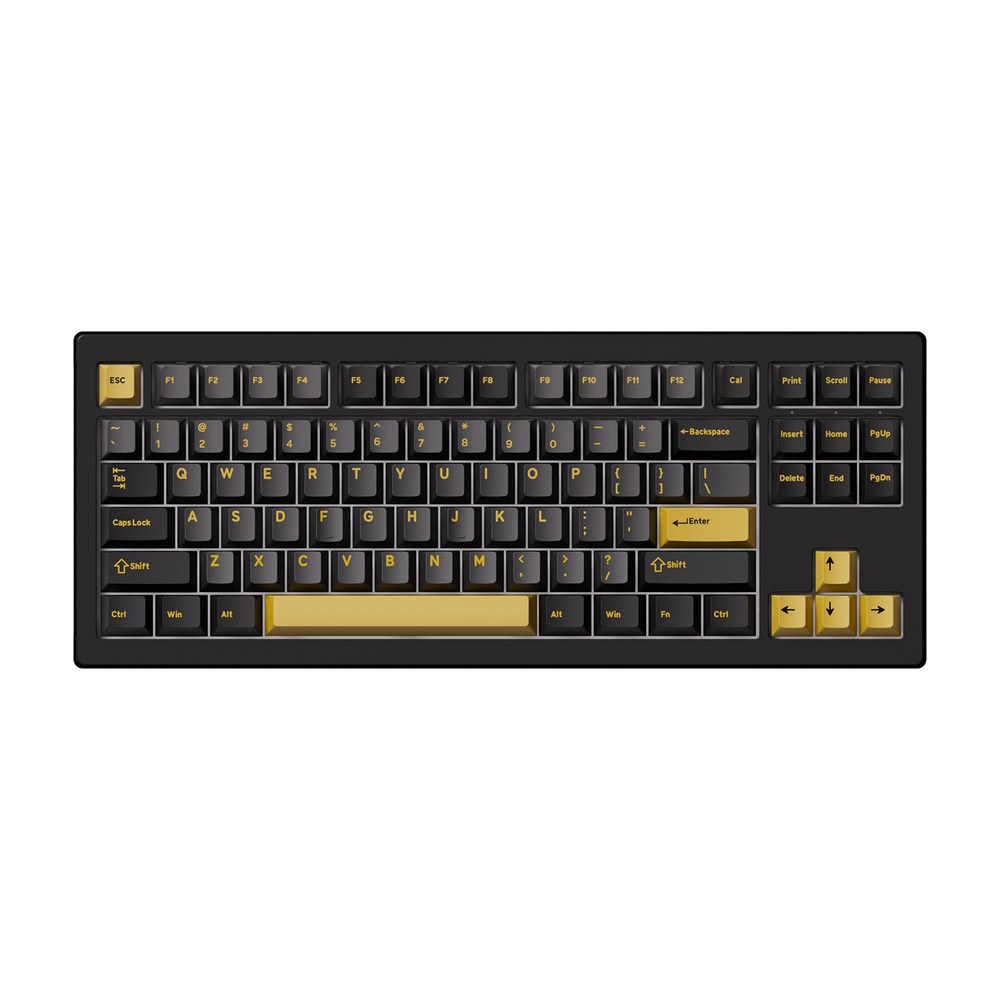
5087 V3
The easy first board: 80% tenkeyless, 87 keys, V3 Piano Pro linear switches, double-shot PBT keycaps, Bluetooth, 2.4GHz and USB-C. 3-pin/5-pin hot-swap with a switch puller in the box. US-ANSI. €89.24.
See the 5087 V3 →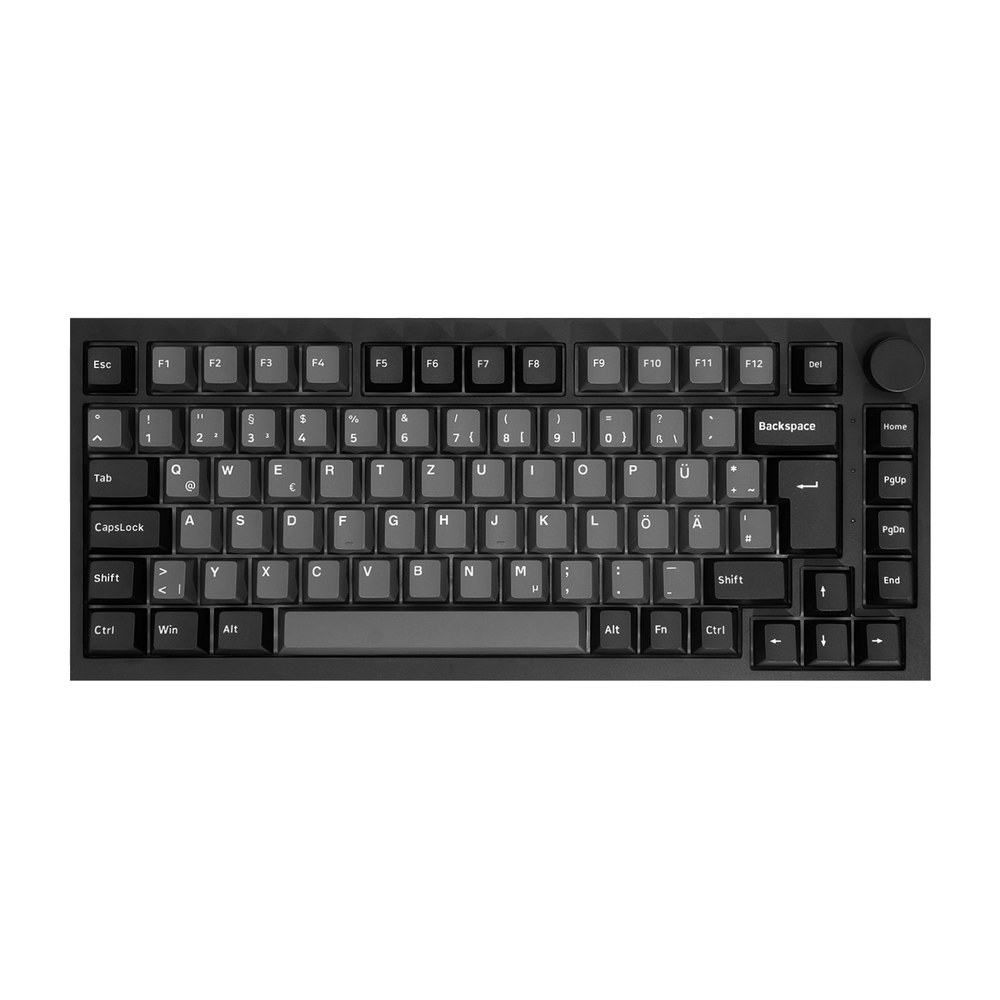
5075 V5 Black & Silver ISO
75% ISO-DE with a per-key flex-cut circuit board, gasket mount and an 8,000mAh battery. Ships with Creamy Yellow U1 or Creamy Blue U1 switches, spares and a puller. 3-pin/5-pin. €107.09.
See the 5075 V5 ISO →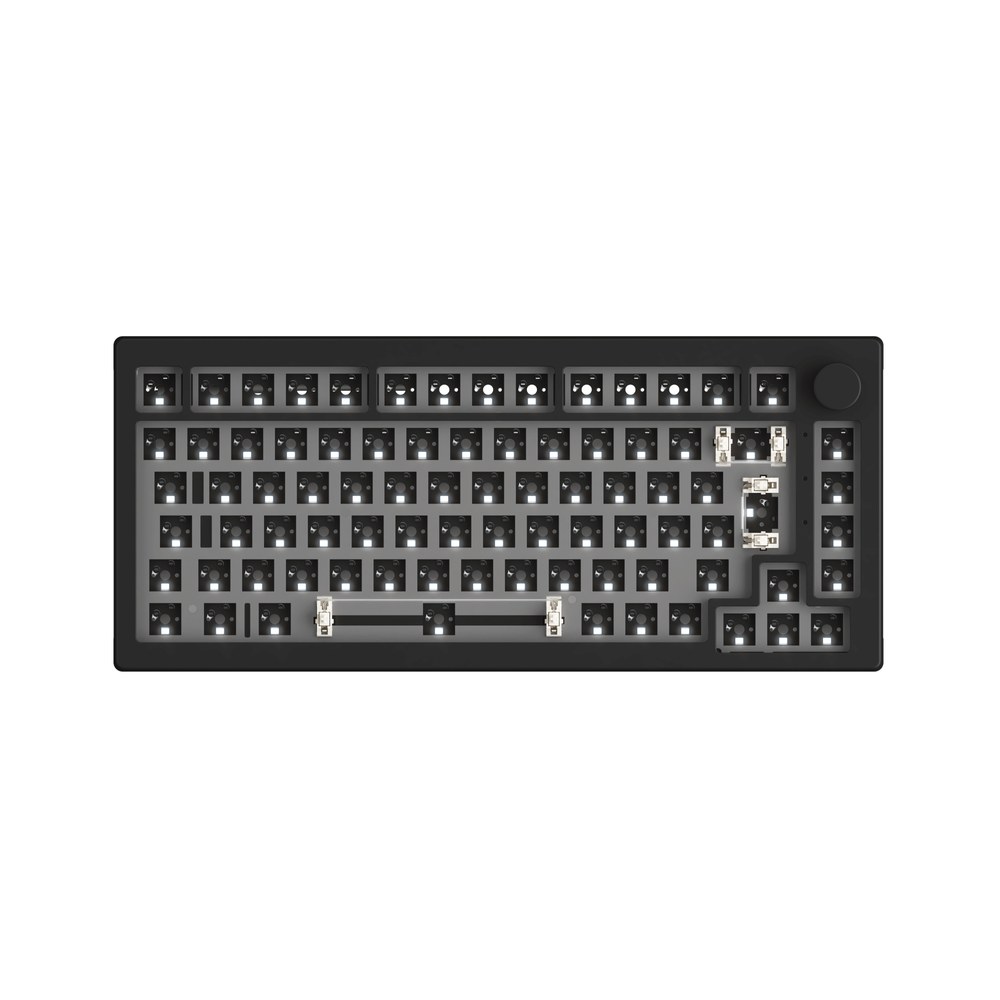
5075 VIA DIY Kit
Barebones 75% ISO with a knob, gasket mount and 5-pin hot-swap sockets that also take 3-pin switches. Remaps through VIA. Switches and keycaps sold separately; puller included. €77.34 in Dark Night.
See the 5075 VIA kit →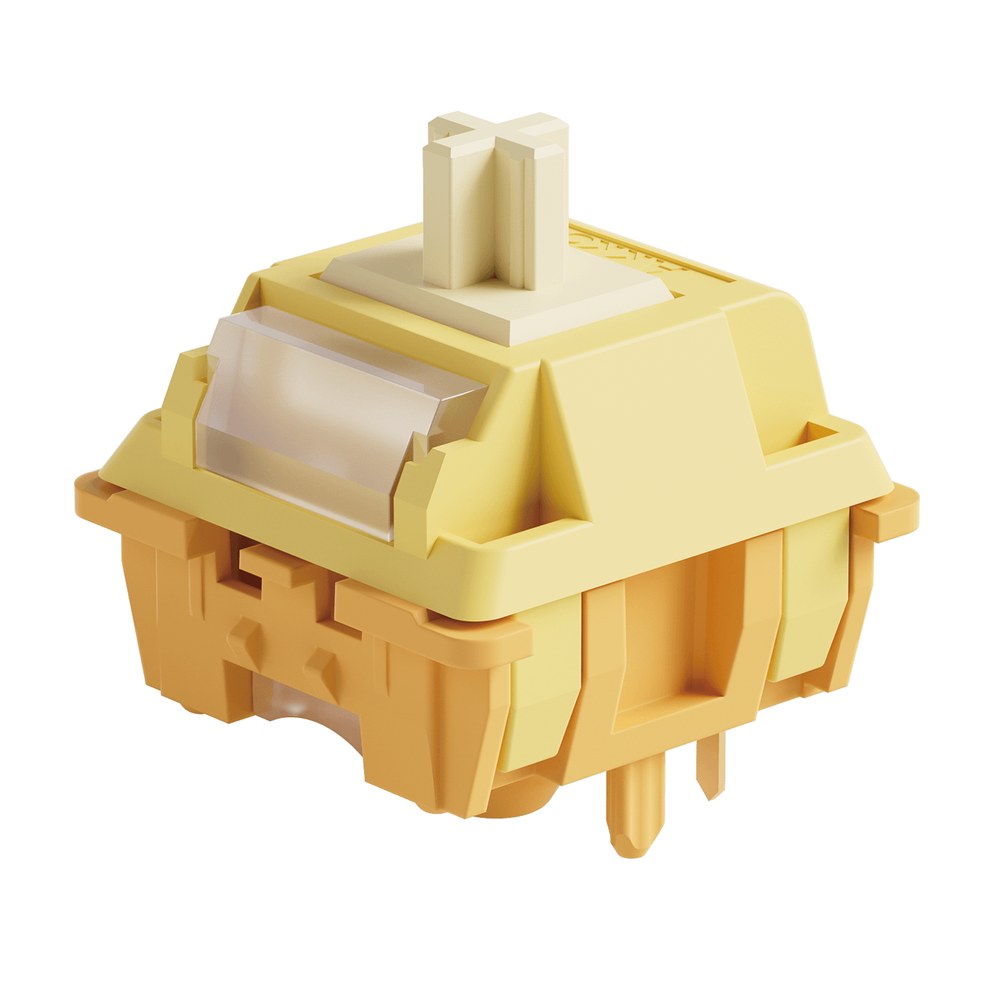
Creamy Yellow U1 Switches
Linear, 45gf operating force, 3.6mm total travel, factory lubed, 5-pin and clippable to 3-pin. A pack of 100 covers a 75% or tenkeyless board. €19.99.
See the Creamy Yellow U1 →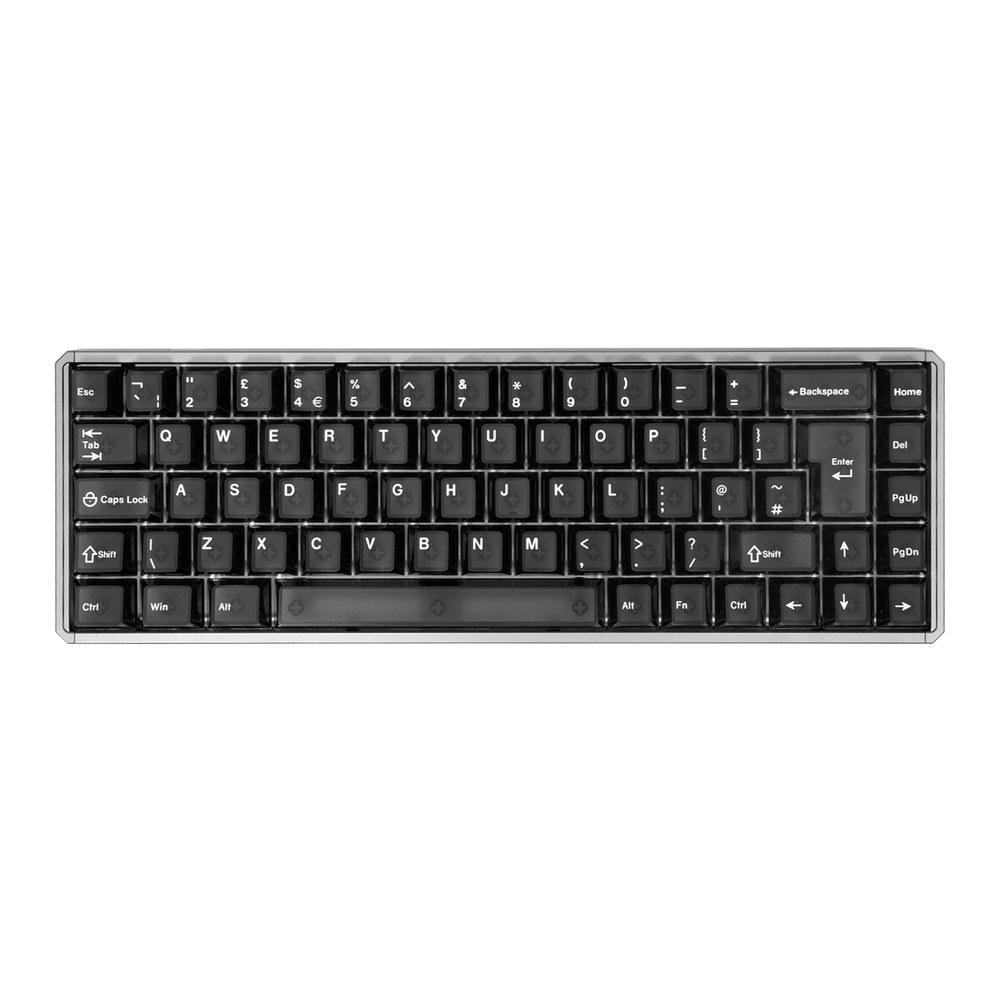
MOD68 HE ISO (Magnetic)
Hot-swappable for magnetic switches only; Akko marks mechanical switches as not supported. 65% ISO, aluminium case, AstroAim magnetic switches. €107.09 wired, €118.99 wireless.
See the MOD68 HE ISO →For a tactile feel, the Creamy Blue U1 comes in the same 100-switch pack at €19.99, and the Piano U1 linear sells in packs of 45 for €16.65.
FAQ
Can any keyboard be made hot-swappable?
No. A keyboard can only be hot-swappable if its circuit board was designed with pads for hot-swap sockets. On a soldered board without those pads, the realistic upgrade is a new hot-swap circuit board or a new keyboard.
Which mechanical keyboards are hot-swappable?
Hot-swap mechanical keyboards include Akko's 5075 V5 and 5087 V3, many Keychron models, the Corsair K70 Pro Mini Wireless and the Razer BlackWidow V4 75%. Match the exact version before buying switches, because some lines sell soldered and hot-swap variants side by side.
Can you swap switches with the keyboard plugged in?
On most hot-swap boards it will not cause damage, but unplugging first is the safer habit. A switch pressed in at an angle can fire stray keypresses into whatever window has focus.
Do you need to buy a switch puller?
Usually not. Akko's 5087 V3, 5075 V5 and 5075 VIA DIY Kit all include a wire switch puller in the box, alongside a keycap puller on the prebuilt boards.
These guides are written under a direct affiliate agreement with Akko. Links to akkogear.eu are affiliate links: if you buy through them, we earn a commission from Akko at no extra cost to you. Nothing in this hub is ranked by our shortlist formula, and prices are Akko's own listed euro prices on the date shown.